Azure: Create a single-node instance
A KiviDB instance on Azure runs on one dedicated virtual machine in the region you choose, with a Premium SSD managed disk holding your data.
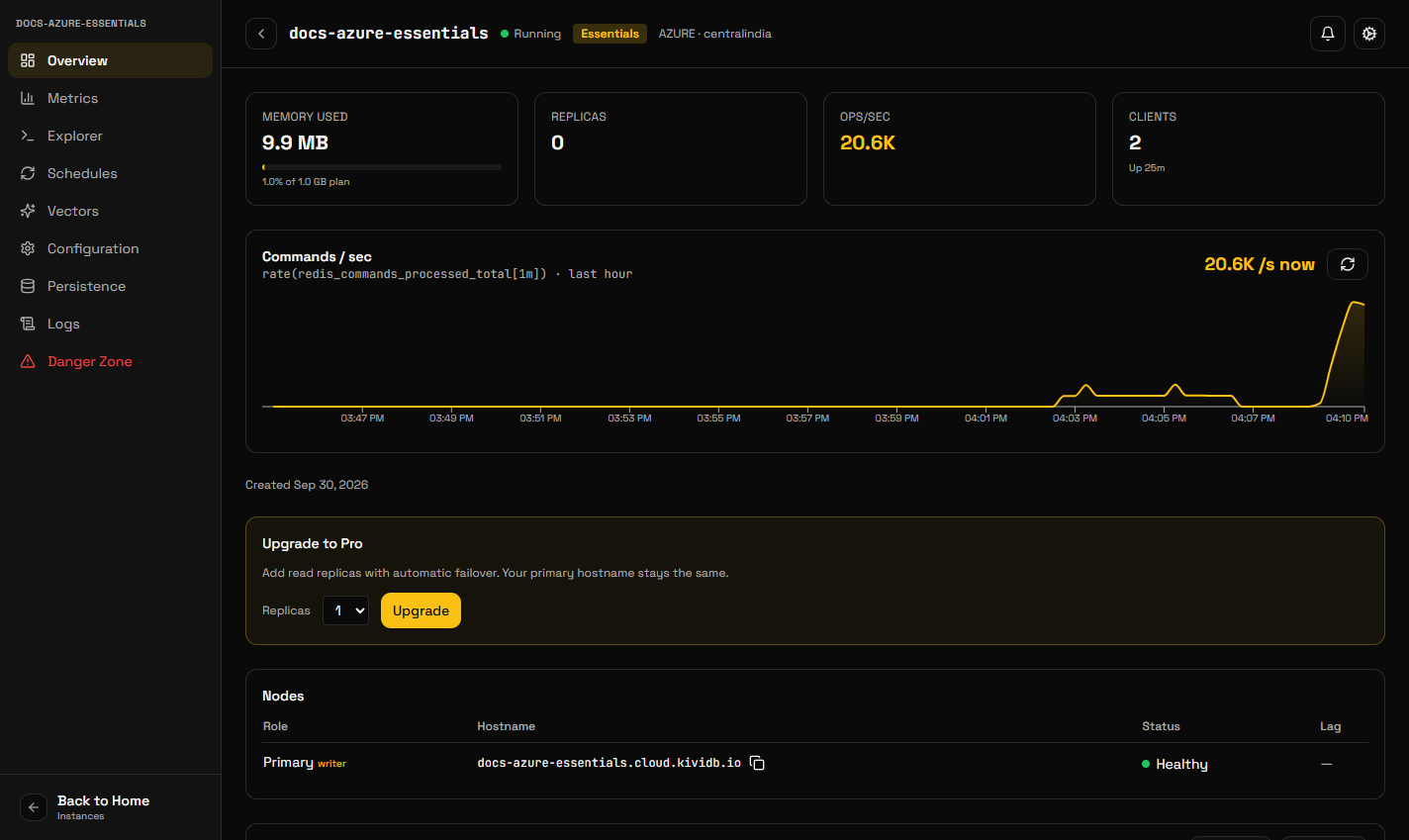
A KiviDB instance on Azure runs on one dedicated virtual machine in the region you choose, with a Premium SSD managed disk holding your data.
What Azure offers today
Essentials and Pro. Essentials is a single node. Pro adds one to three managed read replicas and automatic promotion if the primary fails — see Create a high-availability instance.
Scale is AWS-only for now and is refused at order time rather than failing an hour into provisioning.
3 regions.
| Area | Region | Location |
|---|---|---|
| Asia Pacific | centralindia | Central India (Pune) |
| Europe | swedencentral | Sweden Central (Gävle) |
| Europe | spaincentral | Spain Central (Madrid) |
The list is short on purpose rather than by accident. A region is only offered once snapshot storage exists there and the VM sizes have been verified against the live subscription — Azure's published size tables and what a subscription can actually create are different things, and several plausible-looking regions turned out to offer no burstable family at all. Ask if you need another; adding one is a quota request and a Terraform variable, not a rewrite.
No free tier on Azure. The free tier's spend guard is AWS-shaped, and offering free capacity on a cloud whose spend nothing caps is how a subscription gets drained. Free-tier instances are AWS.
Choose your configuration
Open the pricing configurator, pick Azure, and work down the steps.
Region. Pick the one closest to your application. Cross-region latency dominates everything else you can tune, and an instance cannot be moved between regions later — you would create a new one and restore a snapshot into it.
Memory. This is your usable dataset size. The disk is provisioned above it automatically, rounded up to the next Premium SSD tier, so you do not size storage separately.
Throughput. Standard maps to memory-optimised VMs (Esv5) sized with headroom around your data, which is ample for most workloads. Below 7 GB it is a 2-vCPU Dsv5, because Azure has no smaller memory-optimised VM, and below 4 GB Essentials uses burstable Bsv2. High maps to Dsv5 with twice the CPU cores at the same memory, and the higher network bandwidth that comes with a larger VM, for heavy multi-threaded or high-connection workloads. It costs more because you are paying for that extra compute and network.
Engine version. The latest stable release is selected by default.
Add-ons. Lua scripting and TLS both change which build of the engine is installed. Both can be changed after creation, and doing so restarts the instance.
Persistence is on by default: every write goes to a log on disk, synced once a second. After creating the database you can choose snapshots or no persistence instead, and an eviction policy, under Configuration → Eviction and persistence (Backups and persistence).
Name and network
At checkout you will set:
Instance name. This becomes your hostname —
your-name.cloud.kividb.io. The DNS is the same on every cloud: your hostname
does not tell anyone which cloud you are on, and it does not change if you move.
Choose something stable; renaming later changes the hostname your clients use. A
name is required if you enable TLS, because the certificate is issued against
it.
Allowed IPs. Only these addresses will be able to connect. On Azure the allow-list becomes rules in a Network Security Group attached to your instance's network interface — the same job an AWS security group does, and managed the same way from the dashboard.
Leaving the list empty creates an instance nothing can reach — valid if you intend to use private connectivity, but otherwise not what you want.
Deploy
Deployment takes about two minutes.
If a zone has no capacity for the size you asked for, KiviDB tries the next zone in the region rather than failing the order — the disk is created per zone attempt and released if the VM cannot be placed, so a capacity shortage costs you time and nothing else. You only see a failure when every usable zone in the region refuses, and the notification says so.
After it is running
Your instance overview shows the endpoint, the port, connection snippets, and your credentials. See Connect to your instance.
Costs
You are billed hourly against prepaid credits, so an instance you delete after two hours costs two hours. The configurator's monthly figure is what a full month would cost, not a minimum.
Stopping an instance stops its compute charge. Storage continues, because your data is still there — the managed disk and its snapshots outlive the VM by design, which is also what makes recovery possible.
A new database needs a month of everything you run, not just itself, and you can reserve credit for one database so others cannot spend it: see Credits and reservations.