AWS: Scheduled commands
A schedule runs database commands on your database at times you choose, like a crontab for KiviDB: expire a batch of keys every night, rebuild a leaderboard…
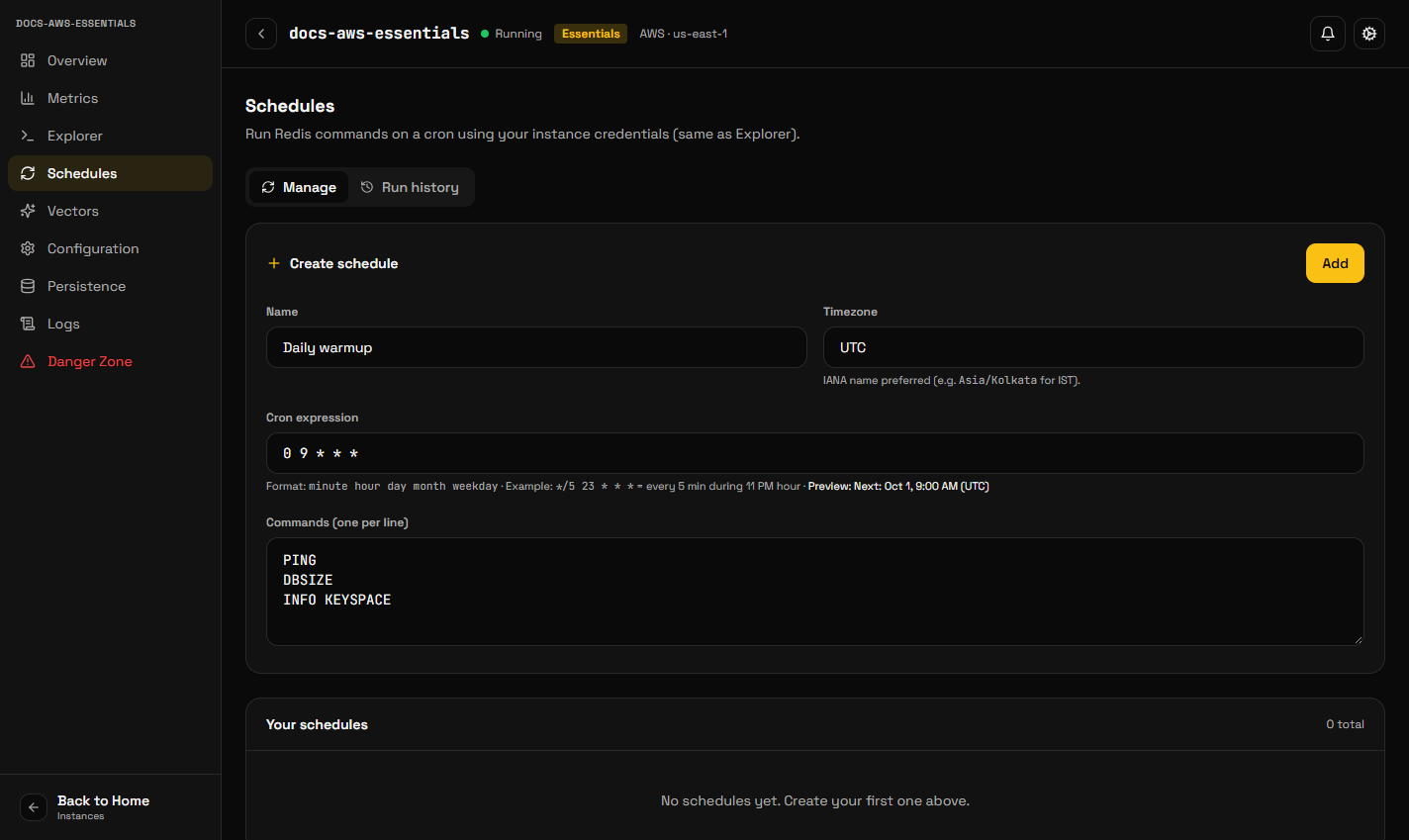
A schedule runs database commands on your database at times you choose, like a crontab for KiviDB: expire a batch of keys every night, rebuild a leaderboard every hour, or call a Lua function on a timer. Schedules are managed from the Schedules panel of any database, and by API.
Creating a schedule
Open Schedules → Add schedule and give it:
- A name, up to 128 characters.
- When it runs, as a cron expression (
minute hour day-of-month month day-of-week, for example0 3 * * *for 03:00 every day). - A timezone. The cron expression is read in that timezone, so a 09:00 schedule stays at 09:00 across daylight-saving changes. The default is UTC.
- The commands, one per line, up to 50, each up to 4,096 characters. They run in order, as one client would send them.
A schedule can be switched off without deleting it.
What happens when it runs
The schedule runs on the database's own server, so it keeps running on time whether or not the console is open. Each run is recorded in the schedule's history with its time, whether it succeeded, and the commands' output. Run now starts a run immediately and records it as manual.
History reaches the console shortly after a run, not at the instant it ends.
Things worth knowing
Commands run with full access to the database. Treat a schedule like any other client that holds the database password: anyone who can edit schedules can run any command the database accepts.
A long command delays the rest. Commands in one schedule run one after
another; a slow one (a large KEYS or a heavy script) holds up those after it
and competes with your application for the server.
Scheduled start, stop and snapshots are separate. To stop a database overnight, use the console or the API to stop and start it; for snapshots on a timetable, turn on automated snapshots under Persistence.
Removing a schedule
Schedules → Remove. A run already in progress finishes; nothing further runs.